Design for a Left-Handed User
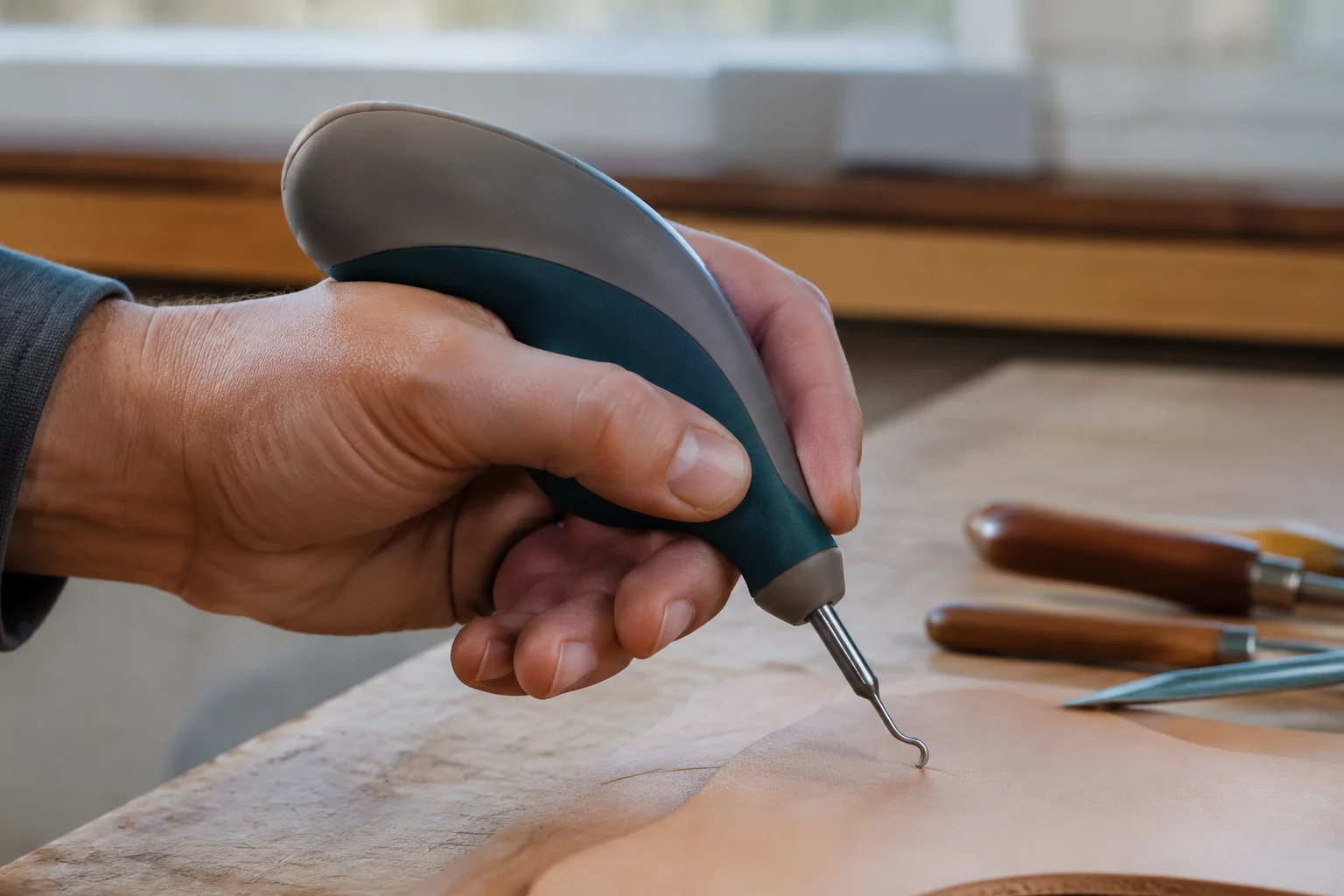
Optimize mechanical ergonomics, thumb lever reaches, and line-of-sight clearances exclusively tailored for left-handed operational workflows.
Mandatory Constraints Protocol
Most everyday manufactured tools default to right-handed biomechanics. This design protocol mandates engineering a functional hand-held artifact completely mapped to left-hand muscle dynamics, grip pressure points, and line-of-sight angles.
Asymmetrical Thumb Rest & Anchor
The body geometry must integrate an outward-facing left-side thumb shelf angled at 18 to 25 degrees. Generic symmetrical profiles are not permitted.
Clear Sightline Clearance Bevel
Incorporate an angled viewing chamfer along the right top edge so the left knuckles never obscure precision alignment during operation.
Actuation Radius Envelope
Place all switches, grip grooves, or ejection tabs strictly within a 35 mm reach perimeter measured from the left thumb metacarpal axis.
Engineering Evaluation Matrix
Designing under user constraints challenges students to move past purely visual aesthetics and consider authentic biomechanical ergonomics. Hand anatomy presents intricate compound curves, making palm contact distribution essential to avoid localized fatigue during repeated handling cycles.
Students evaluate tactile friction points, layer adhesion orientations, and print-bed positioning to create smooth palm surfaces without brittle stress concentration points. Rapid iteration via sliced test segments ensures continuous verification before final prototyping.
Acceptance Criteria
- Left-hand palm contour supports continuous contact across at least 65% of the primary grip zone.
- Target alignment tip remains fully visible to the user while gripped naturally with the left hand.
- Retention groove prevents slippage under a standard 10 N downward operational pulling force.
Software Guide
Tinkercad Workflow
Combine rotated parabolic solid shapes with angled cylindrical hole cutters to sculpt the contoured thumb rest. Group negative geometric primitives to create natural finger valleys along the left grip boundary.
TIP // Align shapes using the workplane tool to ensure zero floating geometry.
Fusion 360 Constraints
Construct an offset construction plane angled at 20 degrees to represent the left palm resting angle. Generate sweeping loft profiles along guide rails derived from actual hand anthropometric measurement curves.
PARAM // Define User Parameters before extruding primary bodies.
Hands-on Iteration
Squeeze a soft clay blank using your left hand to record natural knuckle depressions. Measure the indentations with calipers and transfer key cross-section dimensions directly into your digital CAD model.
FAB // Verify draft angles and base adhesion before slicing.
Dimensional Boundaries
| Parameter | Constraint Value |
|---|---|
| Max X-Y Footprint | 115 x 65 x 45 mm |
| Min Wall Thickness | 2.4 mm (Structural) |
| Interface Clearance | 0.8 mm Ergonomic Gap |
| Primitive Count Cap | Max 4 Shape Groups |
Adopt This Card for Your STEM Group
Order printable constraint challenge decks or request tailored CAD classroom curriculum packages.
Inquire Now: 8478786705Leave a Comment
Share your classroom result, design insight, or improvement idea.
Educator & Maker Notes
Peer discussions and classroom constraint iteration results.
No notes recorded yet. Be the first educator or maker to log feedback for this constraint card.
Classroom Moderation Active
All STEM challenge submissions and instructor feedbacks are reviewed to ensure instructional accuracy.