Keep One Surface Completely Flat
Ensure at least one major surface is perfectly flat for printing. Master build-plate contact, eliminate support waste, and achieve structural bed adhesion in 3D design.
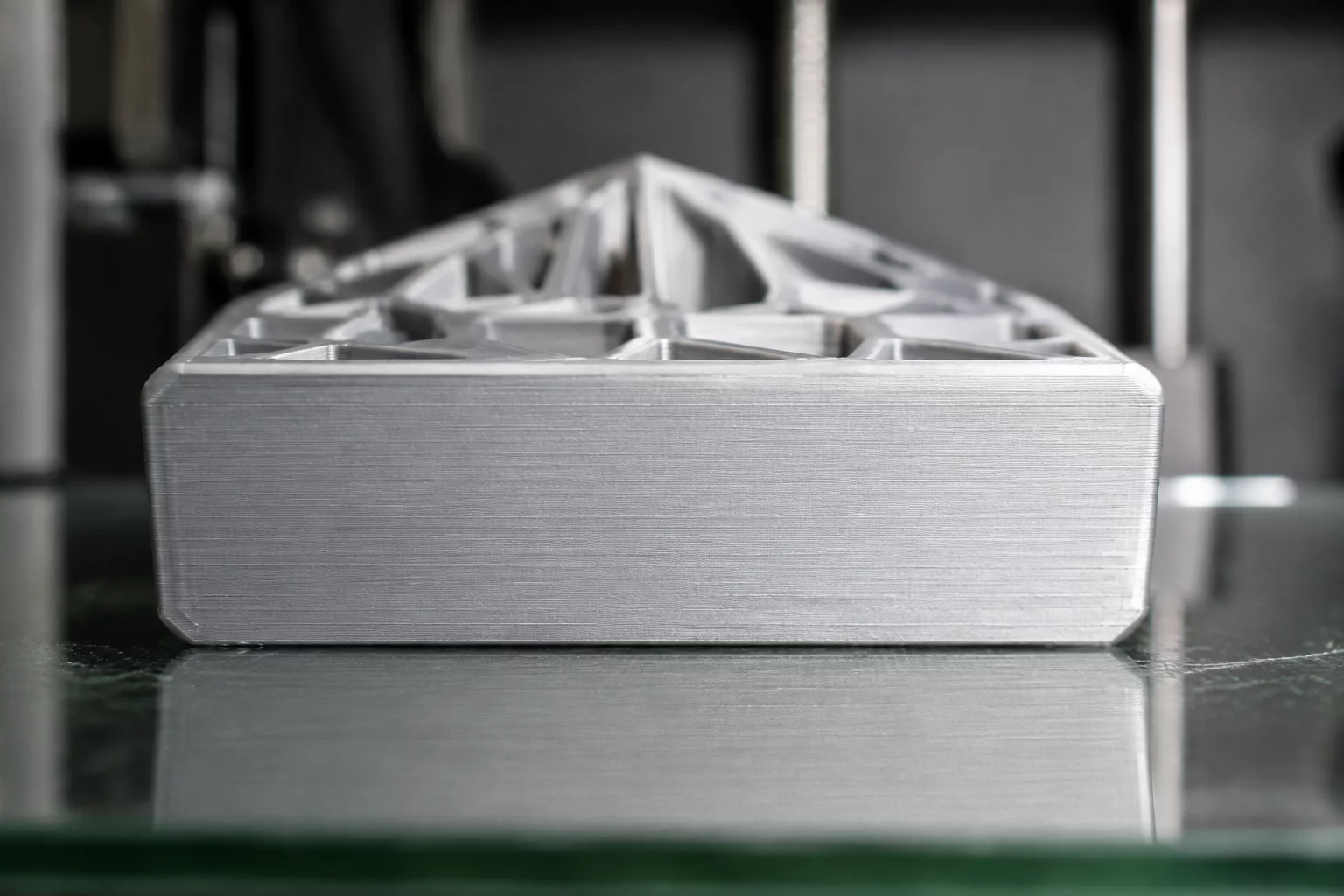
Mandatory Constraints Protocol
Designing for additive manufacturing demands careful consideration of build orientation. This challenge requires modelers to establish a single, continuous flat face capable of anchoring the entire geometry securely to the print bed without requiring auxiliary support material or rafts.
Continuous Planar Base
The chosen primary contact face must be 100% planar with zero protrusions, chamfers, or curved recesses that disrupt bed contact.
Self-Supporting Angles
All geometry extending outward from the flat base must adhere to overhang angles of 45 degrees or less relative to the vertical axis.
Minimum Surface Ratio
The flat contact area must comprise at least 25% of the total bounding footprint to prevent warping and detachment during printing.
Engineering Evaluation Matrix
In modern manufacturing education, bed adhesion represents the single most common failure point for beginner 3D prints. When students rely on raft structures or extensive breakaway supports, they waste material and degrade surface finish. Enforcing a strict flat surface rule instills spatial awareness, prompting students to orient their CAD geometry strategically along coordinate planes.
This constraint challenges designers to view everyday objects through the lens of manufacturing orientation. By designing functional brackets, tool stands, or decorative tokens with an intentional flat reference surface, students learn how industrial engineers design injection-molded and CNC-machined components.
Acceptance Criteria
- The model lies flush against the CAD grid workplane with zero z-axis gap across the base interface.
- Slicer simulation confirms zero support structures are generated when oriented along the chosen flat surface.
- The contact face area provides sufficient bed grip to resist nozzle shearing forces during rapid travel moves.
Software Guide
Tinkercad Workflow
Drop a Box or Flat Cylinder directly onto the Workplane (W key). Use the Align tool (L key) with bottom-z alignment to guarantee your anchor geometry shares the z=0 plane. Avoid adding spheres or rounded roofs at the bottom boundary.
TIP // Align shapes using the workplane tool to ensure zero floating geometry.
Fusion 360 Constraints
Construct your initial sketch directly on the XY ground plane. Extrude in a single positive Z direction. Apply draft analysis to ensure all side walls maintain zero undercut angles relative to the base plane.
PARAM // Define User Parameters before extruding primary bodies.
Hands-on Iteration
Place the exported STL into your slicer software (such as PrusaSlicer or Cura). Use the 'Place on Face' tool to snap your flat surface onto the virtual build plate. Inspect the first layer preview to confirm complete contact.
FAB // Verify draft angles and base adhesion before slicing.
Dimensional Boundaries
| Parameter | Constraint Value |
|---|---|
| Max X-Y Footprint | 80 x 80 mm Max |
| Min Wall Thickness | 2.0 mm Standard |
| Interface Clearance | 0.3 mm Fit Tolerance |
| Primitive Count Cap | Single Planar Anchor |
Adopt This Card for Your STEM Group
Order printable constraint challenge decks or request tailored CAD classroom curriculum packages.
Inquire Now: 8478786705Leave a Comment
Share your classroom result, design insight, or improvement idea.
Educator & Maker Notes
Peer discussions and classroom constraint iteration results.
No comments yet. This could be your first comment.
Classroom Moderation Active
All STEM challenge submissions and instructor feedbacks are reviewed to ensure instructional accuracy.